


ABC Games for Kids - ABC Jump
4.33.00 Reviews
App Specs
- Version
- 1.4
- Updated On
- License
- Free
- Downloads
- 10,000+
- Developer
- Cubic Frog® Apps-Learning Games for Kids
- Categories
- Educational
- Platform
- Android
Screenshots
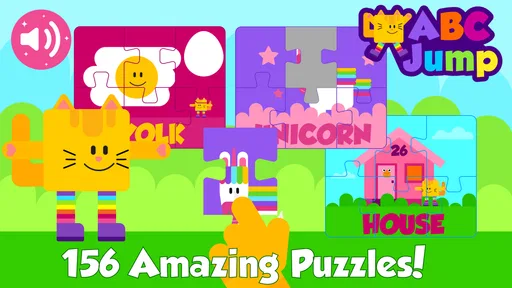
 Analysis by AppCompare
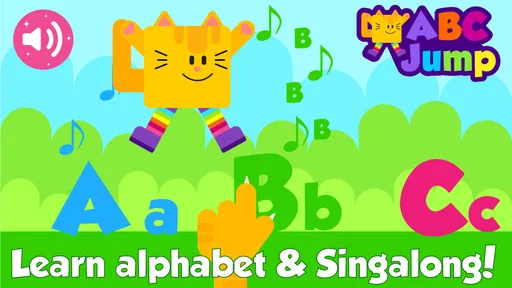
I found ABC Games for Kids - ABC Jump most useful as a short, hands-on learning game rather than as a complete reading course. Its focus is early alphabet practice: children interact with letters, work on recognition, follow tracing activities, and connect sounds with simple spelling tasks. That combination gives the game a clearer purpose than an app that only flashes letters on screen.
My first impression was that the experience is built around quick participation. A child is not expected to sit through a long explanation before doing something. The appeal comes from trying an activity, receiving an immediate response, and then moving on to another small challenge. For preschool and early-learning use, that rhythm matters because attention can disappear quickly when an app feels like a worksheet.
The game is free to start and is listed for Everyone, which makes it approachable for family use. It comes from Cubic Frog® Apps-Learning Games for Kids, a developer focused on learning games for children. The app has an average rating of 4.3 from around 130 ratings, with over 10K installs, so it has attracted a modest but meaningful audience without feeling like an overcrowded mainstream platform.
How the learning loop works in everyday use
I find the most useful way to judge ABC Jump is to watch what happens between one small task and the next: does the child pause to notice the letter, or hurry ahead just to keep playing? I’d use that moment to decide whether to repeat the activity, switch to a different kind of practice, or take a break. That simple check makes it easier to keep the session relaxed and purposeful.
The first action gives the child a reason to participate
The strongest part of ABC Jump is that it treats alphabet learning as an action rather than a passive viewing exercise. The core activities bring together ABC flash-card style recognition, letter tracing, phonics, and spelling. That matters because these skills support one another, but they do not develop in exactly the same way. Seeing a letter helps recognition; tracing makes the child pay attention to its shape; hearing or practicing a sound begins the connection between symbols and spoken language.
I would introduce it by choosing one short activity and letting the child explore before correcting every response. The first goal is not perfect performance. It is to understand what the child notices independently: does the child recognize the letter, follow its shape, attempt the sound, or simply tap quickly to see what happens next? Watching that first interaction tells a parent more than a score alone.
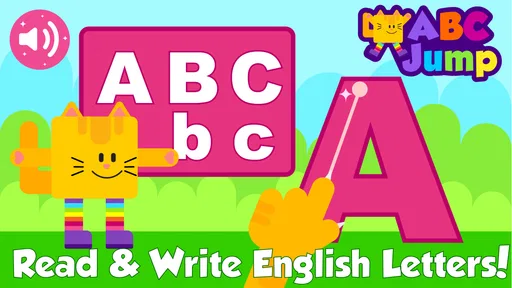
Tracing is particularly useful when a child knows some letters aloud but still confuses their shapes. I would use it after a child has seen the same letter in a flash-card activity, because the repeated visual connection can make the movement feel meaningful instead of random. For a child who already writes confidently, however, tracing may feel too basic. In that case, the phonics and spelling elements are likely to hold attention better than repeating letter outlines.
Worth Reading Before You Choose

EA SPORTS FC Mobile 26 Is a Bigger Football Game, but It Takes Time

Flipboard Shows What News Apps Must Do Beyond the Feed

Switching to Android Auto Means Rethinking Your Driving Routine

Google Calendar Makes a Crowded Week Easier to Manage

Ludo King Makes the Most of the Minutes Between Plans

Baby Panda World Brings Quick Play to Modern Phones, but Its Game Library Feels Busy
A practical after-school routine would be to use the game for a brief activity while a parent prepares a snack, then ask the child to name one letter or sound away from the screen. That second step is important. It checks whether the child is learning something transferable rather than merely reacting to familiar buttons and animations. I would not treat the game as a substitute for reading aloud, drawing letters with a pencil, or talking about words in daily life.
Immediate feedback keeps the action moving
The feedback rhythm is where this type of game either works or fails. Children need to know quickly whether an answer, trace, or spelling attempt is heading in the right direction. ABC Jump is designed around that short response cycle: the child acts, the game reacts, and the next opportunity appears. In my experience, this is more inviting than a traditional alphabet app that asks children to watch a sequence and wait for the lesson to finish.
The benefit is not only entertainment. Fast feedback lets a child try again while the original task is still fresh. If a letter is traced incorrectly, the child can immediately focus on its shape instead of waiting for a teacher or parent to explain what happened. That makes the app suitable for independent practice, although younger children may still need an adult nearby to interpret mistakes and keep the activity purposeful.
Parents should pay attention to the kind of feedback the child responds to. Some children slow down when they hear or see confirmation, while others rush because they are more interested in reaching the next activity. If your child taps through every prompt, I would sit beside them and ask for the letter name or sound before allowing the next step. This turns the app from a button-pressing game into a small conversation about language.
Another useful approach is to separate recognition from production. Let the child complete a visual letter task first, then pause the game and ask, “What sound does it make?” The app can provide practice, but a parent can add the speaking and listening part that a screen cannot fully replace. This is one of the better ways to use ABC Jump without letting the reward cycle become the only reason the child continues.
Rewards encourage another attempt, but they are not the lesson
The reward in ABC Jump is the feeling of completing a manageable task and reaching the next piece of activity. That is a sensible design for early learners. A child who struggles with a full lesson may still be willing to try one letter, one trace, or one spelling exercise because the finish line feels close. The reward creates momentum, and momentum is often what gets a reluctant learner to attempt a second round.
Still, I would keep the reward in perspective. A child can become very good at completing familiar game actions without being ready to read new words independently. The most valuable reward is the moment when the child recognizes a letter later on a cereal box, sign, book page, or drawing. To encourage that transfer, I would connect the in-game task to something physical: after practicing a letter, find it in a picture book; after working on a sound, think of a word that begins with it.
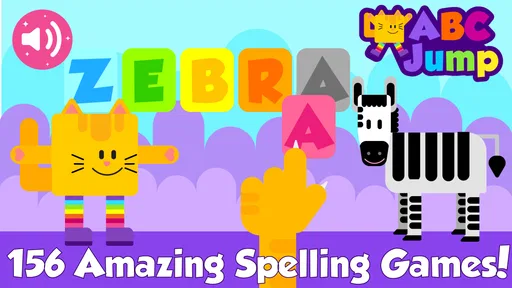
The spelling activities can be especially helpful for children who are ready to move beyond isolated letter names. They introduce the idea that letters work together, but I would not assume that every child using the game is ready for the same level of challenge. A preschooler who is still learning basic shapes may benefit more from the alphabet and tracing side, while an early reader may want to spend more time with sounds and simple spelling.
This difference is also why I would avoid leaving the game open as an unlimited distraction. A child may enjoy repeating the easiest activity because it produces the quickest success. That is not necessarily bad, but it reduces the learning value if harder tasks are always avoided. A parent can gently suggest one familiar activity followed by one less comfortable activity, then stop while the child is still positive about the experience.
Resetting the session prevents practice from becoming pressure
The reset is simple: finish a small activity, step away, and return later with a different goal. I prefer this approach to pushing a child through a long sitting. Alphabet learning requires repetition, but repetition works better when it is spread across ordinary days and connected to other experiences. ABC Jump fits that pattern because its short-game structure makes it easy to use as a supplement rather than a formal daily class.
For example, I might use it before a library visit to review a few letters, then stop before the child becomes tired. On another day, I would focus on tracing, and later I would revisit sounds or spelling. This rotation avoids the common problem of practicing only what already feels easy. It also gives parents a way to notice whether a difficulty is temporary frustration or a consistent gap that needs more direct help.
Resetting also means knowing when to close the app. If the child starts guessing rapidly, becomes upset by corrections, or loses interest in the letters themselves, another round is unlikely to add much. A short break, a pencil-and-paper activity, or a story may be better. The app works best when the child returns willingly, because the action-feedback-reward cycle depends on attention rather than forced repetition.
There is a financial consideration here as well. The game is free, but optional in-app purchases range from about six dollars to around thirty dollars per item. I would let a child explore the free starting experience before deciding whether any paid content is worthwhile. Families should also make that decision themselves rather than allowing a child to treat every locked or additional activity as an automatic reason to buy.
Who will benefit most from this particular approach?
I think ABC Jump is a good fit for preschoolers and young children beginning structured alphabet practice, especially those who learn better by touching, tracing, and receiving quick responses. It can also work for parents who want a simple home activity to reinforce lessons from preschool or kindergarten. The Everyone age classification makes it suitable for a broad family audience, although age suitability does not mean every child will find every activity equally challenging.
It is less suitable for a child who already reads simple books and needs richer vocabulary, sentence comprehension, or longer stories. It is also not the best choice for a parent looking for detailed progress reports, a full curriculum, or a replacement for one-to-one instruction. In those cases, a structured reading program, a teacher-led resource, or physical books may offer more depth.
Compared with ordinary alphabet flash cards, this game adds movement and response. Compared with tracing worksheets, it provides immediate digital guidance and a more playful reason to repeat the task. Compared with a broad early-learning platform, its narrower alphabet focus can be an advantage when a child needs targeted practice, but a disadvantage when the family wants numbers, science, stories, and creative activities in one place.
The minimum operating requirement is Android 4.4, and the current version is 1.4. That makes the app accessible on older compatible Android devices, which is useful if a family keeps a previous phone or tablet for children. I would still test the controls and screen size before handing it over, because tracing and letter recognition are much less comfortable on a cramped display than on a larger tablet.
The main trade-offs I noticed during evaluation
The biggest strength is the compact learning loop. The child does something immediately, sees a response, receives a small sense of completion, and has a reason to try again. That structure is more engaging than simply memorizing a letter chart. It also gives parents several entry points: recognition for beginners, tracing for shape practice, phonics for sound awareness, and spelling for children ready to combine letters.
The main limitation is that the same loop can become shallow if an adult never connects it to real language. Fast success is motivating, but it can also encourage guessing, rushing, or repeating the easiest activity. I would use the game with occasional pauses and questions, not as background entertainment. The strongest results are likely to come from pairing screen practice with handwriting, conversation, picture books, and finding letters in the child’s surroundings.
Another trade-off is scope. The app’s alphabet-centered design makes it easy to understand, but it does not replace a wider early-literacy routine. Children still need to hear stories, build vocabulary, notice rhymes, practice holding a pencil, and understand that print carries meaning. If your priority is a broad educational suite, another option may be better. If your priority is an approachable ABC activity with several related forms of practice, this focused design is useful.
My verdict on the repeat-play loop
ABC Jump succeeds when it is treated as a short practice tool with a playful surface. The first action gets a child involved, the quick feedback keeps the task understandable, and the reward makes another attempt feel worthwhile. The reset is up to the adult: stop before frustration, return with a different goal, and connect the digital activity to something outside the screen.
I would recommend trying it for a child who is beginning alphabet learning, particularly if tracing and interactive practice are more appealing than static cards. I would not recommend relying on it alone for reading development, and I would be cautious about purchasing extra content until the free experience has proved useful for your child. With that realistic expectation, the game offers a friendly way to practice letters, sounds, and early spelling without turning every session into a formal lesson.
Overall, my opinion is positive but specific: this is a focused educational game, not an all-purpose literacy system. Its value comes from making small alphabet actions easy to repeat. Used in short sessions, with a parent occasionally asking the child to explain or apply what was practiced, it can become a helpful part of an early-learning routine.
Pros
- Simple controls make it easy for young children to start playing.
- Bright animations and playful visuals help maintain children’s attention.
- Short levels suit quick play sessions and limited attention spans.
- Letter-focused gameplay can support early alphabet recognition.
- Designed for casual play without requiring advanced gaming skills.
Cons
- Repetitive gameplay may become less engaging after extended use.
- Some children may need adult guidance to connect play with learning.
- Progression may feel too simple for older preschoolers.
- Requires a compatible device with enough storage and performance.
- Frequent visual effects could be distracting for sensitive children.
FAQs for ABC Games for Kids - ABC Jump
What is ABC Games for Kids - ABC Jump?
ABC Games for Kids - ABC Jump is an educational game designed to help young children become familiar with the alphabet through colorful, interactive activities. The app combines simple gameplay, letter recognition, and playful challenges to make early learning more engaging. It is generally aimed at preschool and early-learning children who are beginning to identify letters and connect them with sounds or words.
What age group is ABC Games for Kids - ABC Jump suitable for?
The game is best suited to preschoolers and young children who are starting to learn the English alphabet. Its straightforward controls and visual presentation are intended for early learners, although the ideal age may vary depending on a child’s reading ability and familiarity with mobile games. Parents should try the first activities themselves to confirm that the difficulty and pace are appropriate.
Does ABC Games for Kids - ABC Jump require an internet connection?
Some features may work without a continuous internet connection after the application has been installed, which can be useful for travel or limiting online access. However, internet access may still be required for downloading the app, loading advertisements, restoring purchases, or receiving updates. Because offline availability can depend on the version and device, it is sensible to test the game in airplane mode before relying on it.
Is ABC Games for Kids - ABC Jump safe for children to use?
The game is created for children, but parents should still review its advertising, privacy, and purchase settings before handing over the device. Depending on the platform version, the app may include ads, optional purchases, or links intended for adults. Using parental controls, disabling unauthorized purchases, and supervising the child’s first sessions can provide a safer and more controlled learning experience.
Is ABC Games for Kids - ABC Jump free to download and play?
ABC Games for Kids - ABC Jump may be available as a free download, but the exact experience can depend on the version installed from Google Play or the App Store. Free editions may contain advertisements, locked content, or optional in-app purchases. Before downloading, check the store listing for current pricing, supported devices, subscription details, and whether all learning activities are included without payment.


